

Microsoft has officially announced the integration of its AI-powered assistant, Copilot, across all Windows 11 PCs, marking a major milestone in the tech giant’s vision to make artificial intelligence an everyday digital companion. The rollout, which began this week, is expected to redefine how users interact with their computers, offering a seamless blend of productivity, personalization, and intelligent automation.
Microsoft Copilot Brings AI Integration to Every Windows 11 Device
The integration of Microsoft Copilot into the Windows 11 ecosystem means every compatible PC will now come equipped with an AI assistant deeply embedded into the operating system. Unlike the earlier standalone Cortana or Bing Chat models, Copilot functions as a centralized AI hub, connecting apps, settings, and workflows under one unified experience.
From writing emails and summarizing documents to generating creative content and managing files, Copilot will be capable of handling complex natural language requests directly within the Windows environment. Users can launch the assistant using a dedicated keyboard shortcut or voice command, allowing instant access to AI-powered help without opening separate applications.
Seamless AI Experience Productivity and Creativity Combined
According to Microsoft, Copilot has been designed to assist users across both work and personal tasks. It can automatically adjust system settings, summarize web pages, generate code, or even design visuals using AI-based tools integrated with Microsoft 365 applications such as Word, Excel, and PowerPoint.
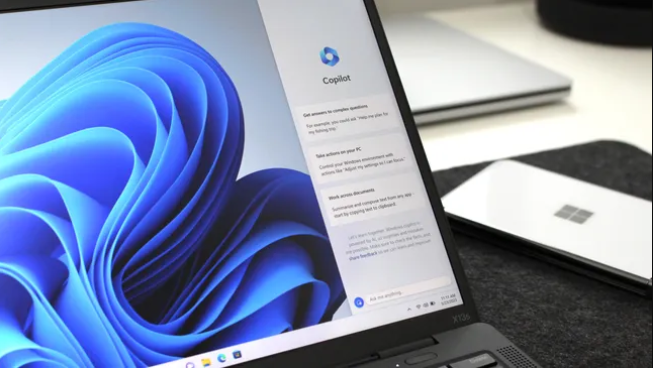
For creative professionals, the AI assistant can also interact with Adobe Creative Cloud, Paint, and other design software, streamlining workflows and boosting efficiency. The move places Microsoft at the forefront of the AI race, where companies like Google and Apple are also pushing to embed generative AI features into their ecosystems.
Step Toward the Future of AI-Powered Personal Computing
Industry analysts describe the new Windows 11 update as a defining shift in personal computing, comparable to the introduction of graphical user interfaces or touchscreens in earlier eras.
The AI assistant’s ability to learn from user preferences and context means that over time, it will deliver personalized recommendations, reminders, and insights tailored to individual habits. This adaptive behavior positions Copilot as more than a tool it becomes a digital collaborator capable of evolving alongside its user.
Privacy, Security, and Transparency Take Center Stage
While the new features have generated excitement, data privacy and transparency remain major discussion points. Microsoft assured users that Copilot’s operations will comply with strict privacy standards, with clear options to manage data permissions and cloud sync settings.
Microsoft’s partnership with OpenAI, which powers the Copilot experience, includes ongoing audits to ensure ethical and responsible AI usage across its platforms.


 Elon Musk demands $134B from OpenAI, Microsoft over non-profit breach
  Australia Sues Microsoft Over Misleading AI Offer
  OpenAI Plans to Reduce Microsoft Profit Sharing Ratio 8% by 2030
  Apple increases AI investment compete with Google and Microsoft
  Microsoft Profits Soar Thanks to Cloud and AI Growth
  Microsoft Closes Pakistan Operations After 25 Years